Crunch Mode Unlocked: How Smart Creators Produce Great Work in 72 Hours or Less

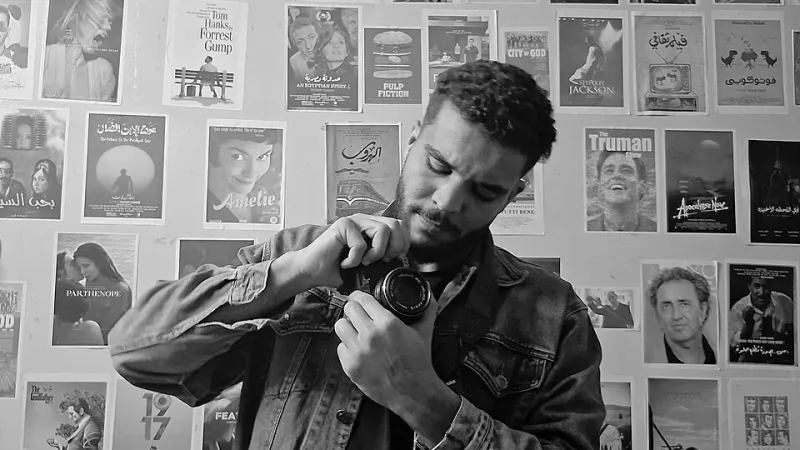
Photo: POPDUST, CC BY 4.0, via Wikimedia Commons
Let's be honest — the romantic version of content creation involves golden-hour lighting, a perfectly organized workspace, and all the time in the world to craft your vision. Reality, though? Reality looks a lot more like a blinking cursor at 11 p.m. on a Tuesday with a client expecting a final cut by Friday morning.
Deadlines are a universal constant in this industry. Whether you're a solo YouTube creator juggling a posting schedule, a freelance video editor riding a client's last-minute pivot, or a small production team trying to keep a brand's content calendar alive, the 72-hour crunch is practically a rite of passage. The difference between creators who thrive under pressure and those who burn out isn't talent — it's systems.
Here's how the pros handle it, and how you can steal their methods starting today.
The First Hour Is Everything
When the clock starts ticking, the worst thing you can do is dive straight into production. Counterintuitive? Maybe. But creators who consistently deliver under pressure almost universally share one habit: they spend the first chunk of their sprint planning, not doing.
Think of it like a road trip. Jumping in the car and flooring it without knowing your route might feel productive, but you'll waste more time doubling back than you would have if you'd spent ten minutes with a map.
A solid sprint kickoff looks something like this:
- Define the single core message of the piece. Just one.
- Outline your content in bullet points, not paragraphs.
- Identify your biggest production risks (missing footage, unclear script, equipment issues) and address those first.
- Set mini-deadlines within the 72 hours — a hard stop for scripting, a hard stop for filming, a hard stop for the first rough cut.
That last point is crucial. A 72-hour window without internal checkpoints is just a slow-motion panic attack.
Strip It Down to the Essentials
One of the most common mistakes creators make under pressure is trying to produce a full-scale project with half the time. The solution isn't to work faster — it's to work smaller.
Take the approach used by a lot of successful documentary-style creators on YouTube: when time is short, they lean into the talking-head format. One camera angle, solid lighting, a compelling script, and good audio. That's it. No b-roll marathon. No elaborate motion graphics. The constraint forces them to let the content do the heavy lifting, which — plot twist — is almost always more engaging anyway.
The same principle applies to short-form video. TikTok and Instagram Reels have trained audiences to respond to authenticity and energy over production polish. A creator filming on an iPhone in decent natural light with a tight, punchy script will outperform an overproduced piece that missed the cultural moment it was trying to capture.
When the clock is against you, ask yourself: What's the minimum viable version of this video that still delivers real value? Build that. Then add one element of craft — a killer hook, a well-chosen music track, a single creative transition — that elevates it from functional to memorable.
Build a Personal "Rapid Deploy" Toolkit
The creators who handle crunches best aren't just mentally tough — they're prepared. They've done the setup work in advance so that when pressure hits, their environment does half the work for them.
Here's what a solid rapid-deploy toolkit looks like in practice:
Templates and presets. Editing templates in Premiere Pro, DaVinci Resolve, or CapCut can shave hours off post-production. Color grade presets, lower-third templates, and intro/outro sequences you've already built mean you're not starting from zero every time.
A stock asset library. Services like Artgrid, Musicbed, or even the free tiers of tools like Pixabay mean you're never stuck hunting for b-roll or a music track at 2 a.m. Build your library before the crunch hits.
A go-to shot list. Experienced creators often keep a personal list of their five to ten most reliable shot types — the ones that always cut well together and look good in their typical environment. When you're tired and pressed for time, defaulting to what you know works is a superpower, not a cop-out.
Batch your decisions. Decide your fonts, your brand colors, your caption style, your thumbnail format once — then stop re-deciding them every project. Decision fatigue is real, and it's especially brutal during a sprint.
The Mental Game: Pressure as a Creative Filter
Here's something nobody tells you when you're starting out: constraints are often good for creativity. Neuroscience backs this up — moderate pressure narrows focus and reduces the tendency to overthink. Some creators actively use this to their advantage.
The trick is reframing the deadline. Instead of seeing 72 hours as a threat, treat it as a creative filter. You don't have time to second-guess every cut, obsess over every word choice, or re-shoot a scene because the background wasn't quite right. The deadline makes those decisions for you. What comes out the other side is often leaner, more direct, and more honest than what you'd produce with unlimited time.
That said, sleep is non-negotiable. Pulling an all-nighter sounds heroic until you're staring at your edit at hour eighteen and genuinely cannot tell if your color grade looks good or if your eyes are just broken. Schedule sleep into your 72-hour sprint. A six-hour block of rest will return more to your productivity than six hours of exhausted grinding ever could.
After the Sprint: What to Actually Learn From It
Every crunch is a data point. Once you've delivered the work and slept for twelve hours, do a quick debrief with yourself (or your team):
- What slowed you down the most?
- What did you cut that you probably could have cut anyway?
- What part of your workflow needs a template or system built around it?
The creators who get better under pressure aren't the ones with the highest tolerance for stress — they're the ones who treat every sprint as a rehearsal for the next one. They build systems, refine their toolkit, and gradually transform what used to feel like chaos into something that almost feels like routine.
The 72-hour crunch isn't going away. But with the right approach, it doesn't have to feel like a crisis. It can feel like exactly the kind of creative challenge that reminds you why you got into this in the first place.