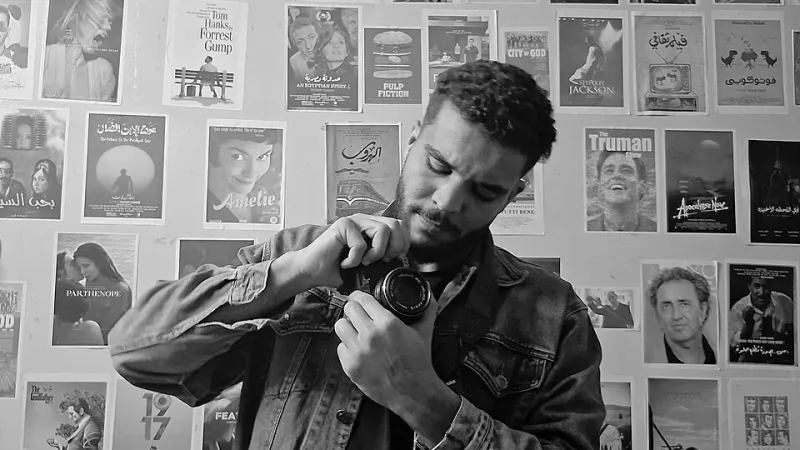
When Your Video Falls Flat: The Hidden Culprits Killing Your Creative Energy
Photo: Author Ron Wyden, Marco Rubio, Alexandria Ocasio-Cortez, Mike Gallagher, and Tom Malinowski Publisher United States Congress, Public domain, via Wikimedia Commons
You poured your heart into that video. You scouted locations, wrote a solid script, showed up with charged batteries and a full memory card — and still, when you hit play on the finished cut, something feels off. It's watchable, sure. But it's not alive. It doesn't grab you by the collar and refuse to let go.
Welcome to the sour side of video production. That unshakeable feeling that your content is technically fine but creatively flat is one of the most frustrating places a creator can land. The good news? Flat videos almost never have one catastrophic flaw. They have several small, sneaky ones — and once you know what to look for, fixing them is surprisingly straightforward.
Let's peel back the layers.
The Color Problem Nobody Talks About
If audio is the soul of a video, color is its mood. And yet, for a huge number of indie creators, color grading is treated as an afterthought — a quick drag of the saturation slider before export.
Here's the thing: ungraded or poorly graded footage doesn't just look amateur. It feels emotionally empty. Viewers can't always articulate why a video looks cheap, but their brains register it immediately. Flat log footage left uncorrected, inconsistent white balance between cuts, or skin tones that drift toward green — these are the visual equivalents of a song played slightly out of tune.
Take the example of Austin-based travel creator Marcus Reyes, who spent two years grinding out destination videos with decent cameras but muddy, inconsistent color. He wasn't doing anything wrong — he just wasn't doing enough. After dedicating a single weekend to learning DaVinci Resolve's color wheels and applying a consistent LUT across his travel series, his watch time jumped nearly 40% within a month. Same locations. Same editing style. Warmer, more intentional color.
The fix: Pick one LUT or grade style and apply it consistently across your series. Even a subtle, intentional look — slightly warmer for lifestyle content, cooler and desaturated for documentary work — signals to viewers that you're in control of your aesthetic. Free LUT packs from sites like Ground Control or Motion Array are a solid starting point.
Muddy Audio Is a Viewer Repellent
Here's a hard truth that every seasoned filmmaker knows and every new creator learns the painful way: people will forgive mediocre visuals before they'll tolerate bad audio. A slightly shaky shot? Fine. Dialogue buried under HVAC hum with reverb bouncing off drywall? Gone — they're clicking away before the 30-second mark.
Muddy audio is the single most common energy drain in indie video content, and it usually comes from one of three places: recording in acoustically bad environments, relying on on-camera microphones, or skipping the audio cleanup step in post.
Jess Tran, a Chicago-based documentary filmmaker who now has a growing YouTube presence, credits one gear swap for transforming her content: a $70 Rode VideoMicro mounted on her camera. "I used to think audio gear was for people with real budgets," she told us. "Then I watched my own video back with headphones for the first time. I wanted to crawl under my desk."
Beyond the mic, tools like Adobe Audition's noise reduction, the free Audacity plugin suite, or even iZotope RX Elements can strip out background noise and add presence to dialogue in minutes.
The fix: Record a quick audio test in every new environment before you start rolling. Clap once, record 10 seconds of silence, and listen back with headphones. If you hear the room, the HVAC, or street noise bleeding in, address it before you shoot — not in post.
Pacing: The Invisible Hand That Controls Energy
Pacing is the hardest creative problem to diagnose because it lives in the edit, not the footage. A video can have stunning visuals, clean audio, and a great concept — and still drag. Or it can feel so rushed that viewers can't latch onto anything.
The most common pacing sin in indie content? Holding on shots too long out of attachment to the footage. You know the feeling — you love that establishing shot of the skyline at golden hour, so you let it breathe for eight seconds. Meanwhile, your viewer checked Instagram at second three.
A useful rule of thumb borrowed from the world of broadcast editing: cut before you think you need to. If you're watching a shot and thinking "this feels like it's about to end," it already has.
Derek Okafor, a Brooklyn-based short film director who broke through on Vimeo, described his editing philosophy this way: "I started timing the pacing of videos I admired — actual stopwatch stuff. I realized that the cuts were almost always coming faster than I expected. My instinct was always to hold longer. Their instinct was always to move on."
Derek now cuts a "ruthless pass" — a full edit run where he shortens every single shot by at least half a second. Then he watches it back. More often than not, the ruthless cut feels more cinematic, not less.
The fix: Export a rough cut and watch it with someone who wasn't involved in the project. Watch them, not the screen. The moment they shift in their seat or reach for their phone, mark the timestamp. That's where your pacing broke down.
The Compound Effect: When Small Problems Stack Up
Here's the part that makes flat videos so insidious: none of these issues are catastrophic on their own. Slightly dull color? Forgivable. A little audio muddiness? Probably fine. Pacing that drags just a touch? Most viewers won't consciously notice.
But stack all three together and you've built a video that's quietly exhausting to watch. Each small flaw chips away at viewer trust, and trust is the currency that keeps people engaged.
Think of it like a recipe. A dish with a little too much salt, slightly undercooked pasta, and a sauce that's just a touch too thin is still edible. But nobody's asking for the recipe.
The creators who consistently build audiences — even without big budgets or studio backing — are the ones who've developed a pre-export checklist. Before anything goes live, they run through color consistency, audio clarity, and pacing with fresh eyes. It's not glamorous. It's just disciplined.
Building Your Own Quality Control Ritual
If you take one thing away from this piece, let it be this: the difference between forgettable and compelling content is usually a final review pass, not a bigger camera.
Build a simple three-point checklist:
- Color check — Does this look consistent from scene to scene? Does the grade match the emotional tone I'm going for?
- Audio check — Can I understand every word clearly with the volume at 50%? Is there background noise pulling focus?
- Pacing check — Did I watch this with fresh eyes, ideally a day after finishing the edit? Does it move?
None of this requires expensive software or years of experience. It requires attention — which, in the crowded landscape of digital content, might be the rarest resource of all.
Squeeze the lemon. Your videos are worth the extra effort.